snippy-ng utils report sample
Create a standalone HTML report for a single sample from a VCF, with an optional embedded alignment view.
The sample report renders an interactive variant table and, when an alignment and reference are provided, an IGV.js panel showing cropped windows around each variant. It is useful for inspecting a single Snippy-NG run, sharing per-sample results, or reviewing variants before downstream interpretation.
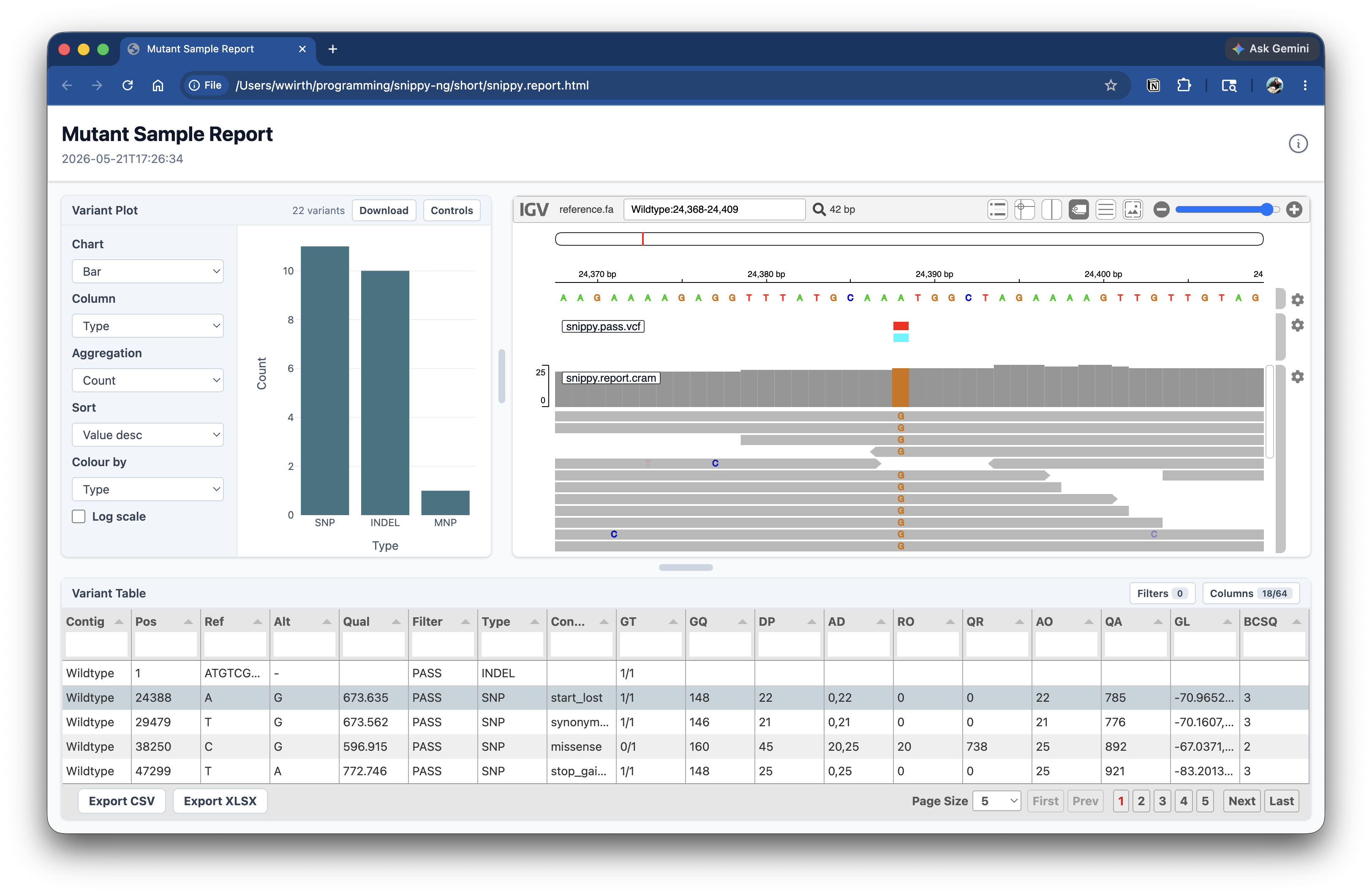
Example report
Here is an example sample report generated with Snippy-NG.
Quick start
Generate a VCF-only sample report:
This writes the HTML report to:
If you also provide an alignment, you must provide the matching reference.
Inputs
The only required input is a VCF file.
To embed an alignment viewer, provide both --alignment and --reference.
The alignment can be BAM or CRAM. Snippy-NG extracts windows around each variant and embeds the cropped alignment in the final report.
Variant selection
Use --variant-scope to choose whether the report includes only PASS variants or
all variants in the input VCF.
Use --window-size to control how many bases of context are shown around each
variant when alignment windows are generated.
Output options
By default, the command writes report/sample-report.html.
Use --outdir to choose the output directory:
Use --prefix to choose the output filename prefix:
This writes:
Report options
Set a custom report title:
Override the displayed sample name:
Combine options:
snippy-ng utils report sample sample.vcf \
  --alignment sample.cram \
--reference ref.fa \
--variant-scope all \
--window-size 500 \
--title "Mutant sample report" \
--sample-name mutant-01 \
--outdir sample-report \
--prefix mutant
Command reference
| Option | Default | Description |
|---|---|---|
VCF |
required | Input VCF file to render. |
--alignment, --cram, --bam |
none | Optional BAM or CRAM alignment to embed after windowing. |
--reference, --ref |
none | Reference FASTA required when --alignment is provided. |
--variant-scope |
pass |
Include only PASS variants or all variants. |
--window-size |
100 |
Number of bases of context around each variant. |
--title |
Snippy-NG Sample Report |
Title shown in the HTML report. |
--sample-name |
none | Optional sample name override. |
--outdir, -o |
report |
Output directory. |
--prefix, -p |
sample |
Prefix for the generated HTML file. |